Animal Obby
- Adventure
- Computer, phone, tablet
A multiplayer obstacle course from Kimchi Soup Studios in which you switch between five animals, each with its own ability. It suits players who like platforming and playing with friends.
What happens in a run
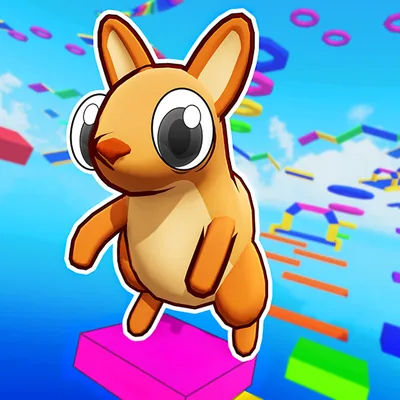
Animal Obby is a multiplayer obstacle course. You run and jump through a course, and the twist is that you can change animals during the run. Poki lists five: a gecko, a monkey, a kangaroo, a turkey and an elephant. Each has its own ability, so a section that is hard for one animal may be easy for another.
Power-ups give you extra help. Poki mentions flight as an example, and says it helps on hard levels. You use the mouse to click on buttons and power-ups, and the rest of the control is on the keyboard or, on a phone, on screen.
The game has online lobbies, so you can play with friends. Poki describes it as a multiplayer game, and the lobbies are the way to find other players. If you prefer to play alone, the obstacle course itself is still the main thing.
On a computer you move with WASD or the arrow keys, jump with Space and switch animal with the keys 1 to 5. On a phone there is a left stick to move, a right stick for the camera and a jump button. Poki shows October 2026 as the last update, and says it is the first game from Kimchi Soup Studios on Poki.
Buttons to press
- WASD / arrow keys
- Move
- Space
- Jump
- 1 to 5
- Switch animal
- Mouse
- Buttons and power-ups
- Left stick (mobile)
- Move
- Right stick (mobile)
- Camera
Tips for the first rounds
- Learn the number keys early. Switching animal with 1 to 5 is the core of the game, and quick switches matter more than fast running.
- Match the animal to the obstacle. Stop and think about which of the five abilities fits before you jump.
- Use power-ups on the hard levels. Poki says flight helps there.
- On a phone, practise the camera stick on its own. Moving and looking at once takes a moment to get used to.
- Try the online lobbies with a friend if you want company; playing together is part of the design.
Best liked by
Players who like platformers and obstacle courses, switching tools mid-run, and playing with friends.
Before you open it, a few catches
The game is played on Poki, so Poki's own advertising and cookie rules apply when you open it.
It has the longest list of controls here, which takes a few minutes to learn.
Online lobbies depend on other players being there, so your experience may vary.
Hard levels can mean many retries before you find the right animal.
Questions people ask
- Is Animal Obby free?
- Poki lists it as a browser game you can open without paying. Poki shows advertising around its games.
- Which animals can I play?
- According to Poki: gecko, monkey, kangaroo, turkey and elephant.
- Can I play with friends?
- Poki says there are online lobbies for playing with friends.
- How do I switch animals?
- Press the keys 1 to 5 on a keyboard. Poki's page gives this as the animal switch.
- What are the mobile controls?
- A left stick to move, a right stick for the camera and a jump button, as listed by Poki.
- Who made it?
- Poki credits Kimchi Soup Studios. This site is not affiliated with Kimchi Soup Studios or Poki.